
Learning how to get Google reviews for your business is one of the most powerful digital growth strategies available today. For example, when prospective clients search for local services, they look at your star rating and customer feedback before visiting your site or calling your team. However, if your business has few reviews or outdated feedback, customers will choose a competitor with an active review profile.
Google reviews directly influence both consumer decision-making and search engine rankings. In fact, over 88% of consumers read online reviews to evaluate local businesses, and Google explicitly uses review volume, star ratings, and velocity as key ranking factors in the Local 3-Pack. Consequently, a steady stream of authentic 5-star reviews drives higher search visibility and higher conversion rates.
In this comprehensive guide on how to get Google reviews, you will learn practical, policy-compliant tactics to request and generate feedback consistently. Specifically, we will cover creating direct review links, writing high-converting email and SMS templates, using QR codes in physical locations, automating review requests, and responding to reviews effectively.
Why Every Business Needs to Get Google Reviews
To understand why you must get Google reviews, consider how modern buyers research companies. Furthermore, reviews act as public social proof that validates your service quality, customer service, and business reliability.
First, Google reviews improve local search rankings. Furthermore, google’s map algorithm favors businesses with high star ratings and recent customer comments because searchers prefer well-reviewed listings. Therefore, acquiring reviews directly increases your Google Maps visibility.
Second, positive reviews build instant buyer trust. In addition, when potential clients see dozens of detailed 5-star ratings, their hesitation disappears. Consequently, reviews shorten your sales cycle and lower customer acquisition costs.
Third, reviews provide valuable customer feedback. Consequently, reading customer comments helps you identify operational strengths and fix service issues before they impact your brand reputation.
How to Generate Your Short Link to Get Google Reviews
The biggest reason customers fail to leave feedback is friction. As a result, if you ask a client to search for your company on Google Maps, locate your profile, and click “write a review,” most will forget. Therefore, fortunately, you can generate a direct short link that opens your review window in one tap.
To create your direct review short link:
- Log in to your verified Google Business Profile manager.
- Navigate to your business dashboard and click the “Ask for reviews” button.
- Copy your unique short URL (for example:
https://g.page/r/your-business-id/review). - Test the link in an incognito browser window to ensure it opens the review submission box immediately.
Once generated, use this direct link across all digital communications to remove friction for your customers.
Best Strategies to Get Google Reviews Consistently
To get Google reviews on an ongoing basis, you need a systematic request process rather than sporadic efforts. In fact, timing and delivery channels dictate your review response rate.
1. Ask at the Peak Moment of Customer Delight
The best time to ask for a review is immediately after delivering a great result. For example, ask right after resolving a support issue, completing a renovation project, or receiving verbal praise from a client. For example, when satisfaction is fresh, clients are most willing to help.
2. Personalize Your Review Requests
Generic mass messages produce low response rates. In contrast, personalizing your request by mentioning the specific service delivered or client name increases response rates significantly.
3. Train Frontline Staff and Customer Teams
Train your team members to invite feedback as a standard closing step. For instance, staff can say: “We are glad you loved your service today! In fact, would you mind sharing a quick review on Google? Moreover, it helps our small business tremendously.
Email Templates to Get Google Reviews From Clients
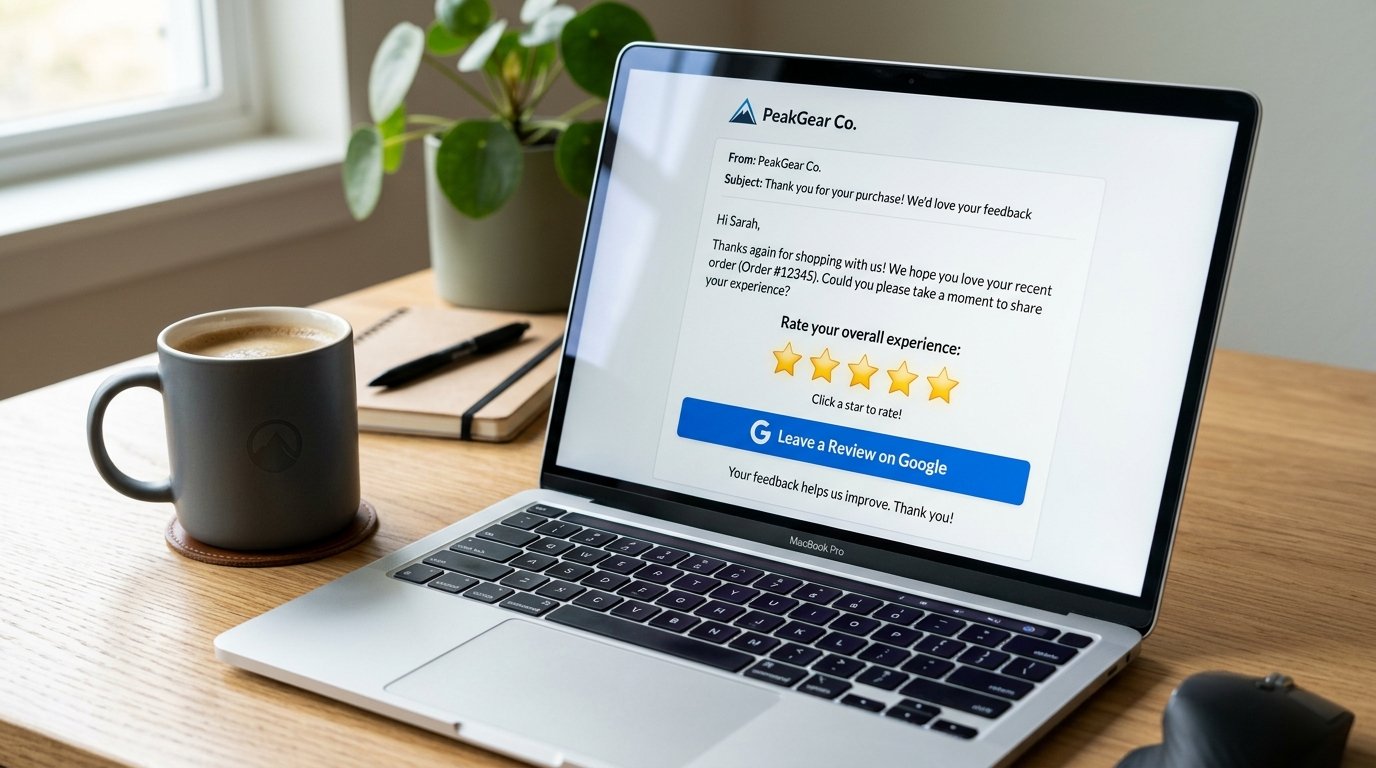
Email remains one of the most effective channels to get Google reviews from existing clients. However, your message must be brief, friendly, and easy to complete.
Template 1: Post-Service Follow-Up Email
Subject: How was your experience with [Company Name]?
Hi [Client Name], thank you for choosing [Company Name]! Specifically, we hope you loved your recent [Service/Product]. Similarly, could you take 60 seconds to share your experience on Google? Instead, your feedback helps us grow and helps other local customers find us: [Insert Review Link]. Ultimately, thank you for your support!
Template 2: Client Success & Milestones Email
Subject: Quick question regarding your [Project Name] results
Hi [Client Name], it has been a pleasure working together on your project! Furthermore, if you are happy with your results, we would truly appreciate it if you left a quick review on our Google profile: [Insert Review Link]. In addition, we appreciate your partnership!
SMS Text Campaigns to Get Google Reviews Fast
SMS text messages boast an incredible 98% open rate, with most texts read within 3 minutes of delivery. Therefore, sending SMS review requests generates fast, high-converting review submissions.
Sample SMS Text: “Hi [Name], thanks for visiting [Company Name] today! Consequently, could you take 30 seconds to share your feedback on Google? As a result, tap here: [Insert Review Link]. We appreciate you!
Using In-Person QR Codes to Get Google Reviews
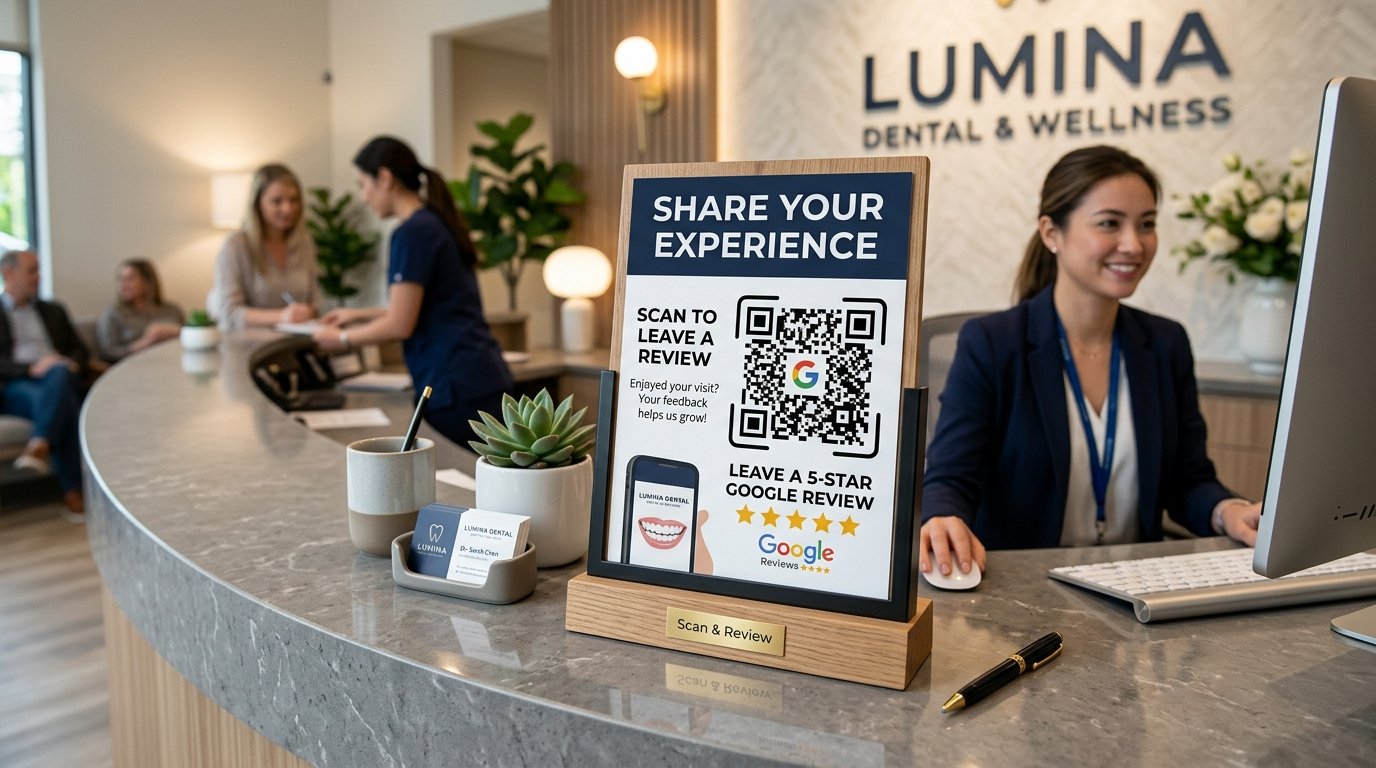
If your business operates a brick-and-mortar storefront, restaurant, medical clinic, or office, physical QR codes are ideal for capturing instant reviews. Specifically, customers simply point their smartphone camera at the QR code, which opens your Google review window immediately.
Great places to display review QR codes include:
- Acrylic desktop stands at reception desks and checkout counters.
- Printed receipts, invoices, and thank-you cards.
- Table tents in dining areas or waiting rooms.
- Vehicle wraps and service technician appointment cards.
Comparison 1: Direct Link vs. Manual Search Request
| Request Method | Customer Effort | Average Conversion Rate |
|---|---|---|
| Direct Short Link / QR Code | 1 tap / scan (Instant) | 35% – 45% completion rate |
| Manual Search Instructions | Multiple steps & searching | < 5% completion rate |
Comparison 2: Automated Email/SMS vs. Manual Request
| Channel | Speed & Open Rate | Best Use Case |
|---|---|---|
| Automated SMS Text | 98% open rate (Within 3 mins) | Local service, appointment & retail businesses |
| Automated Email Campaign | 30% – 40% open rate | B2B agencies, professional services & e-commerce |
External References
- Google Business Profile Help: Get Reviews on Google
- BrightLocal: Annual Local Consumer Review Survey
- HubSpot: Proven Ways to Get More Online Reviews
- Search Engine Journal: Official Google Review Guidelines & Best Practices
How to Handle Unfair or Fake Google Reviews
Every business will eventually encounter a negative or fake review. For example, a competitor may post a misleading comment, or a customer may leave a 1-star rating by mistake. Consequently, knowing how to manage fake reviews protects your online brand reputation.
Flagging Inappropriate Reviews for Google Removal
Google allows business owners to flag reviews that break policy rules. Specifically, if a review contains profanity, hate speech, spam links, or is written by someone who never used your service, click the three dots next to the review in your dashboard and select “Report review.” Therefore, Google will inspect the report and remove policy-violating comments.
Turning Negative Reviews Into Trust Builders
In contrast, genuine negative reviews provide an opportunity to demonstrate outstanding customer service. Furthermore, reply calmly, apologize for any miscommunication, and offer to resolve the issue offline. As a result, prospective clients who read your response see that your company values accountability and care.
Industry-Specific Strategies to Get Google Reviews
Different industries require unique review collection tactics based on customer interaction touchpoints. In fact, matching your request method to customer habits maximizes response rates.
1. Service Businesses and Home Contractors
Plumbers, electricians, and HVAC technicians should send an automated SMS text immediately after completing a job. Furthermore, technicians can hand clients a business card featuring a printed Google review QR code before leaving the premises.
2. Medical Practices and Health Clinics
Dental offices and wellness clinics should place acrylic QR code stands on reception desks. In addition, automated email follow-ups sent 2 hours after appointments generate steady, authentic patient reviews.
3. Professional Services and B2B Agencies
Law firms, accounting practices, and digital agencies should request reviews during milestone presentations or quarterly client reviews. In addition, when clients praise your agency’s results, invite them to share their feedback publicly on Google.
Step-by-Step System to Get Google Reviews Automatically
To scale your review generation without manual overhead, build an automated review workflow integrated into your CRM or point-of-sale system:
Step 1: Connect CRM to Review Automation
Trigger an automated workflow when an invoice is paid, an appointment is completed, or a product is delivered.
Step 2: Send Initial SMS or Email Request
Send a personalized message within 2 to 24 hours of service completion, containing your direct review short link.
Step 3: Send One Gentle Follow-Up
If the client does not click after 3 days, send one polite follow-up reminder. Therefore, avoid sending more than two requests to prevent spam complaints.
Step 4: Respond Publicly to Every Review
Reply to new reviews within 24 to 48 hours. For example, thank positive reviewers warmly, and address negative feedback professionally to demonstrate accountability.
Google Guidelines: What NOT to Do When Trying to Get Google Reviews
While collecting reviews is essential, you must comply with Google’s Maps User Contributed Content Policies. In fact, violating Google’s rules can lead to review deletion or profile suspension.
- Never Pay or Offer Incentives: Google strictly prohibits offering discounts, gift cards, or free services in exchange for reviews.
- Do Not Gate Reviews: Gating means filtering unhappy customers to a private contact form while sending happy customers to Google. Google considers this manipulative.
- Do Not Create Fake Reviews: Writing fake reviews or hiring review farms violates FTC laws and search engine policies.
- Do Not Review Your Own Business: Employees or owners cannot post reviews for their own employer.
Checklist to Get Google Reviews for Your Business
Setup & Preparation Checklist
- Claim and verify your Google Business Profile.
- Generate your direct review short URL link.
- Design physical QR code cards for counter displays.
- Prepare personalized email and SMS review templates.
Ongoing Review Operations Checklist
- Send review requests within 24 hours of service completion.
- Reply to all reviews within 24 to 48 hours.
- Include relevant service keywords naturally in owner responses.
- Monitor overall star rating and monthly review volume.
- Explore Zevanta Digital’s specialized services in Digital Agency Services, Featured Client Projects, Our Expert Team, and Schedule a Consultation.
How Zevanta Digital Helps Businesses Get Google Reviews
At Zevanta Digital, we help local businesses, professional agencies, and service providers automate reputation management and local search growth. Moreover, our team sets up automated CRM review workflows, custom QR code assets, and local SEO strategies that drive consistent 5-star reviews.
Contact Zevanta Digital today to turn your satisfied clients into your strongest online marketing engine.
Frequently Asked Questions
How do I get Google reviews for my business?
You can get Google reviews by generating a direct short link, sending automated email and SMS follow-ups after service, displaying QR codes at checkout, and asking satisfied clients directly.
Can I pay customers to leave Google reviews?
No. Specifically, google strictly prohibits offering incentives, discounts, or cash in exchange for reviews. Similarly, violating this rule can result in review removal or profile suspension.
How many Google reviews do I need to rank #1?
There is no fixed number. However, aiming to exceed your top three local competitors in both total review count and star rating average gives you a major advantage in local map pack rankings.
How should I respond to negative Google reviews?
Respond calmly and professionally. Instead, acknowledge the customer’s issue, offer to take the discussion offline, and show prospective clients that you take customer satisfaction seriously.
The Impact of Google Reviews on SEO and Click-Through Rates
Consistently working to get Google reviews transforms your search engine performance across multiple fronts. In fact, reviews influence both technical algorithm rankings and user behavior on search result pages.
Review Keywords and Search Relevance
When satisfied customers mention specific services or location terms in their reviews, Google reads those words as relevance signals. For example, if multiple clients write “best web design agency in Chicago,” Google gains confidence in ranking your profile for those exact search phrases. Consequently, customer review text directly expands your search keyword visibility.
Star Ratings and Search Result Click-Through Rates
In addition, displaying a 4.8 or 5. Furthermore, 0 star rating in search results dramatically improves your click-through rate (CTR). In addition, when users compare search listings, profiles with high star ratings and hundreds of reviews earn significantly more clicks than un-reviewed competitors. Therefore, reviews drive continuous organic traffic growth.
Measuring Review Campaign Performance and Metrics
Tracking key metrics is essential to evaluate your review acquisition campaigns. Furthermore, monitoring progress helps you refine request timing and messaging templates over time.
Tracking Monthly Review Velocity
Review velocity refers to the rate at which your business receives new reviews. Consequently, google values consistent, steady growth over sudden spikes of feedback. As a result, maintaining a steady monthly intake of 5 to 20 new reviews builds sustainable local authority.
Monitoring Overall Star Rating Trends
Keep a close eye on your average star rating score. As a result, if your average rating drops below 4. Therefore, 5 stars, prioritize customer service audits and automated review request follow-ups to restore your profile score.
Mastering Customer Review Responses
Publicly responding to your reviews is a vital part of learning how to get Google reviews effectively. In fact, Google confirms that owner responses show searchers you value customer experience and active engagement.
Positive Review Response Best Practices
When thanking satisfied clients, keep your response warm and specific. For example, thank them by name, reference the specific project or service delivered, and naturally include your city or core service keyword. Consequently, personalized responses reinforce local SEO relevance while delighting your clients.
De-escalating Negative Customer Complaints
When handling critical feedback, maintain a professional and empathetic tone. Furthermore, never argue or sound defensive online. Instead, acknowledge their frustration, state your commitment to quality service, and provide a direct phone number or email to resolve the issue privately. As a result, prospective buyers see that your business takes accountability seriously.
Building a Business Culture That Inspires 5-Star Reviews
To consistently get Google reviews over the long term, you must align your internal company culture around exceptional customer experiences. In fact, remarkable service naturally inspires customers to share positive feedback online.
Internal Team Recognition and Incentives
Encourage your team members by recognizing employees who are specifically mentioned in positive 5-star reviews. For example, host monthly staff rewards for technicians, support reps, or account managers who earn customer praise on Google. Consequently, your staff stays motivated to deliver memorable service on every call.
Over-Delivering on Customer Expectations
In addition, focus on small unexpected details that delight buyers. Furthermore, whether it is communicating ahead of appointment times, offering free follow-up consultations, or providing clear transparent pricing, over-delivering turns average buyers into enthusiastic brand advocates.
Conclusion
In conclusion, knowing how to get Google reviews consistently is a fundamental component of local business success. Ultimately, by removing friction with direct links and QR codes, automating review requests, and responding attentively, you build unmatched brand trust and local search authority.
Furthermore, an active review profile continues to attract qualified leads and drive revenue for years to come.